
Reporting a Bug or Technical Issue
If you encounter unexpected behaviour, display errors, incorrect information or another technical problem within SaaSi Hub, you can report it directly from the platform.
Providing a few details about what happened helps our team investigate the issue more quickly.
Before Reporting an Issue
If you believe the problem may be related to a wider SaaSi Hub service issue, first check our service status page for any known incidents or scheduled maintenance. If there is no reported issue, you can submit a bug report directly through SaaSi Hub.
1) When logged in and inside your Dashboard, click the floating icon at the bottom right of the screen.
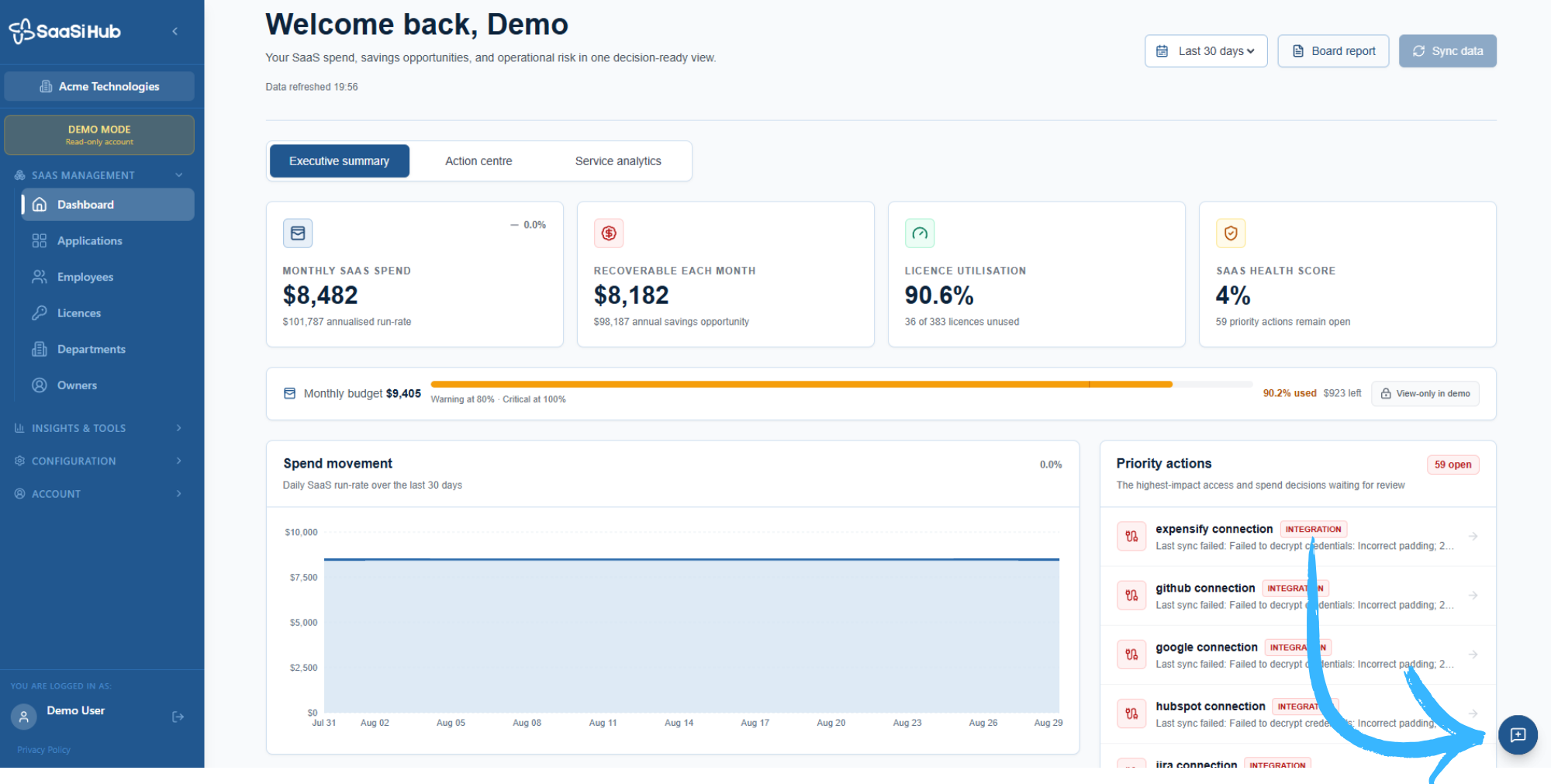
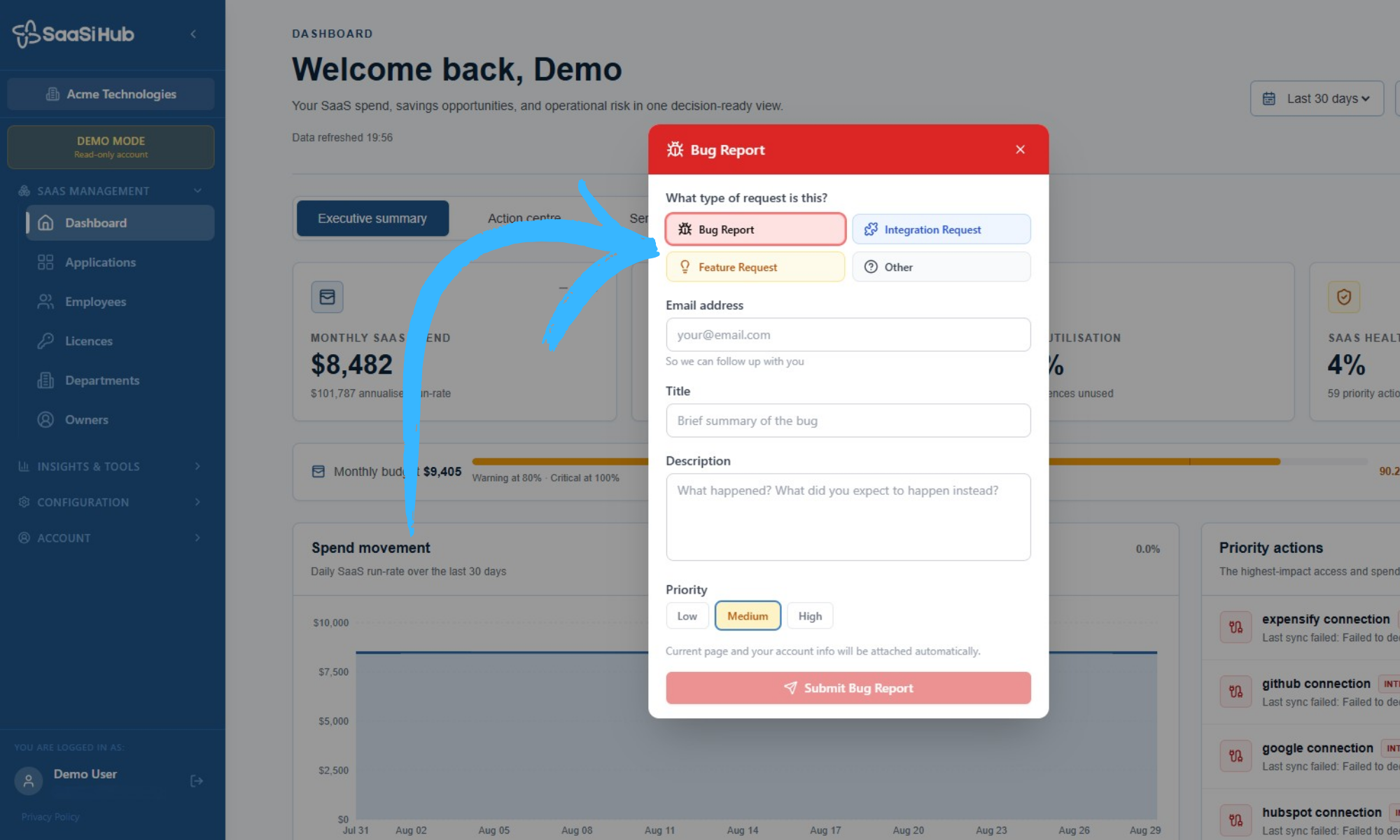
2) Fill in the Bug Report form with information so that we can identify and correct any abnormalities.
What Information Should I Include?
When reporting a technical issue, try to include:
- What happened: A clear description of the problem.
- Where it happened: The section or feature of SaaSi Hub affected.
- What you were doing: The action you were attempting when the issue occurred.
- Error messages: Include any message displayed on screen.
- Screenshots: Where useful, include a screenshot showing the problem.
The more context you can provide, the easier it is for our team to reproduce and investigate the issue.
Once submitted, your report can be reviewed by the SaaSi Hub team so that the issue can be investigated and, where appropriate, resolved. If the problem requires additional information, our team may contact you for further details.