

We connect to the tools you already use to give you complete SaaS visibility.
Get swift auto-integration and management to over 110+ of the most popular SaaS tools, alongside manual integration and management to virtually any other SaaS tool.
Auto-Integration Ready
Our auto-integration ready SaaS apps, tools and platforms provide simple, quick and seamless integration inside your SaaSi Hub dashboard. Once connected, our ‘birds eye view‘ SaaS management approach automatically synchronises licence data, user information, and relevant analytics, keeping your dashboard continuously up to date. This allows you to monitor usage, detect changes, and identify potential SaaS waste opportunities without manual tracking.
HR Management (HRIS / HRMS)
Connect your HR system with our platform to automatically sync your employees, track onboarding, track leavers, and attempt to smart match your team with any found SaaS license and subscriptions.
ADP Workforce Now 
Bamboo HR
BreatheHR
BreezyHR
CharlieHR
FactorialHR
Gusto
HiBob
Lucca
Personio
ServiceNow
WorkDay
Zoho People
Accounting
Connect your accounting software with our platform to automatically discover potentially unknown SaaS subscriptions that your company is paying for, via SaaSi Hub’s Shadow IT Discovery system.
ClearBooks
FreeAgent
FreshBooks
MoneyBird
QuickBooks
Xero
Zoho Books
SaaS Tools & Apps
Connect your general SaaS tools and apps with our platform to automatically synchronise subscription and licence data, user information, and relevant analytics, keeping your dashboard continuously up to date.
This also allows SaaSi Hub to match up active, paid subscriptions and licences to your employees, monitor usage, detect changes, and identify potentially wasted spend without the need for manual tracking.
#
1Password
A
ActiveCampaign
Affinity
Apollo.io
Asana
Ashby
Atlassian Jira
Atlassian Service Desk
AWS (Amazon Web Services)
B
BigCommerce
Bill.com
BitWarden
Box.com
Brevo
Brex
Bunny.com
C
Calendly
CallSwitch One
Canvas
Cascade
Cegid Learning
Certn
ChargeBee
ChatGPT Business
Circle.so
Claude
ClickUp
Close
Cloudtalk.io
Clover
Coda
Concur
Copper
Coursera
CrunchBase
D
DashLane
DataDog
Deel
DeepSeek
DHL
Diabolocom
DialPad
DropBox
E
Expensify
F
Fatham
FedEx
Figma
Fireflies.ai
FreshCaller
FreshDesk
FreshSales CRM
FreshService
FreshTeam
Front
G
GitHub
GitHub CoPilot
GitLab
Gong
Google Gemini
Google Workspace
Groq
Guru
H
HelpScout
HubSpot
I
Instantly.ai
Intercom
J
JamF
JumpCloud
K
Klaviyo
L
LastPass
LearnUpon
Leexi AI
LemList
Linear
M
MailChimp
Make.com
Miro
Microsoft 365
Microsoft 365 Copilot
Modjo
Monday CRM
Motion
N
Notion
O
Okta
OpenAI
P
PageUp
PayHawk
PayPal
PennyLane
PipeDrive
R
Ramp
S
SalesForce
SendFox
Slack
Socure
SpendDesk
T
TrackerRMS
Trello
Twilio
U
Udemy Business
UPS
USPS
W
WeTransfer
Wrike
X
X.ai Grok
Y
Yoobic
Z
Zapier
ZenDesk
Zoho CRM
Zoom
Self-Integration Ready
Additionally, virtually any other SaaS tool or platform can be integrated into your SaaSi Hub platform offering limitless opportunities within your account
Not every SaaS tool supports auto-integration, however, our self-integration feature addresses this by allowing you to easily add virtually any other app, tool, or platform by entering your licence and subscription details. Once added, this information is combined with your automatic integrations within the dashboard, analytics, and reports, ensuring you still benefit from a unified view of your entire SaaS environment.
Any Category
 Virtually Any Other SaaS Tool, App or Platform
Ready For
Self-Integration To 30,000 Global SaaS Applications
Our Simple Solution
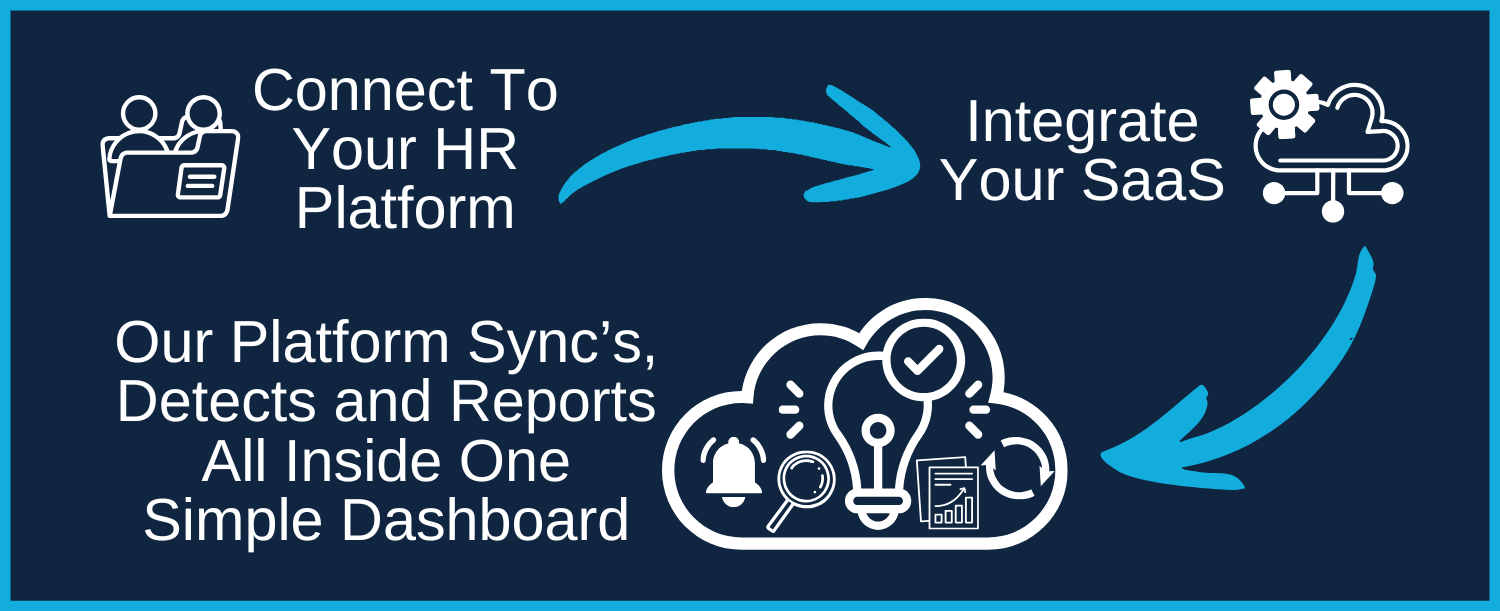
We plug into the tools you already use to give you complete SaaS visibility in one dashboard. Together in one simple dashboard we connect to the tools you already use to give you complete SaaS visibility.

What This Unlocks
- Ability To Oversee All Of Your Business’ SaaS Inside One Platform
- View Real-time Costings & Statistics of Your SaaS Spend
- Automatic Advisories For When SaaS Saving Opportunities Are Found
- Detection of Zombie Licences
- Detection of Unused Licenses
- Potential Reduction Offboarding / Leaver Risk
- Custom Daily Alerts To Keep You In Control


We’re Fast to Deploy, Simple to Manage & Built to Scale
Once connected, SaaSi Hub works quietly in the background continuously syncing, monitoring, and structuring your SaaS data without adding operational overhead. There’s no complex rollout, no engineering lift, and no disruption to your team. Integrations are designed to run reliably and securely, keeping user access, license allocation, and billing data aligned as your organisation evolves.
As new employees join, tools are adopted, or subscriptions change, your system remains up to date automatically. You’re not managing integrations day to day, they simply operate as part of your infrastructure. The result is a connected, controlled software ecosystem that scales with your business and gives you ongoing visibility without ongoing effort.
[Step 1]
Connect Your Core
HR Platform
Start by securely connecting your HR systems (BambooHR, Zoho People etc).
By syncing directly with your HR system, employees are added into your SaaSi Hub dashboard.
Future joiners and leavers are automatically updated across your connected platforms.
[Step 2]
Connect Your
SaaS Apps & Tools
Once connected, SaaSi Hub begins mapping: Employees to SaaS accounts, accounts to licenses, licenses to billing data and billing data to renewal timelines.
This eliminates the need for manual cross-checking between spreadsheets and admin panels.
[Step 3]
Normalize & Structure
Your SaaS Data
Different SaaS tools store data differently.
We standardize this into a unified structure,
so on top of seeing upcoming renewals and spend, you can also see things like:
• Who has access to what
• Which licenses are active vs unused
• Where duplicate tools exist
• Which subscriptions are tied to former employees
[Step 4]
Automated Monitoring
& Custom Alerts
After integration, SaaSi Hub continuously
monitors your stack.
You can set alerts for a multitude of changes,
including when a leaver still has active subscriptions,
a license has been inactive for a defined period,
a renewal date is approaching and unexpected changes in spend.
[Step 5]
Take Action From
One Dashboard
Visibility without action creates more admin.
From your dashboard you can easily identify
licenses to cancel, flag accounts for review
export structured reports for finance,
and track savings.
For IT teams, this reduces access risk.
For founders, this protects margin.
For growing teams, this maintains control without adding headcount.

As Your SaaS Use Grows, Visibility Shouldn’t Get Harder
Modern businesses rely on dozens of SaaS tools across differing departments; collaboration tools, finance platforms, HR systems, developer environments, design tools and more. But without a way to manage them all in one space, managing their access, spend, and renewals becomes a manual and fragmented process.
SaaSi Hub connects your SaaS ecosystem into a single, structured data layer enabling automated leaver detection, license optimisation, and real-time cost analytics from one simple dashboard.
When your tools don’t integrate into a central system, problems compound:
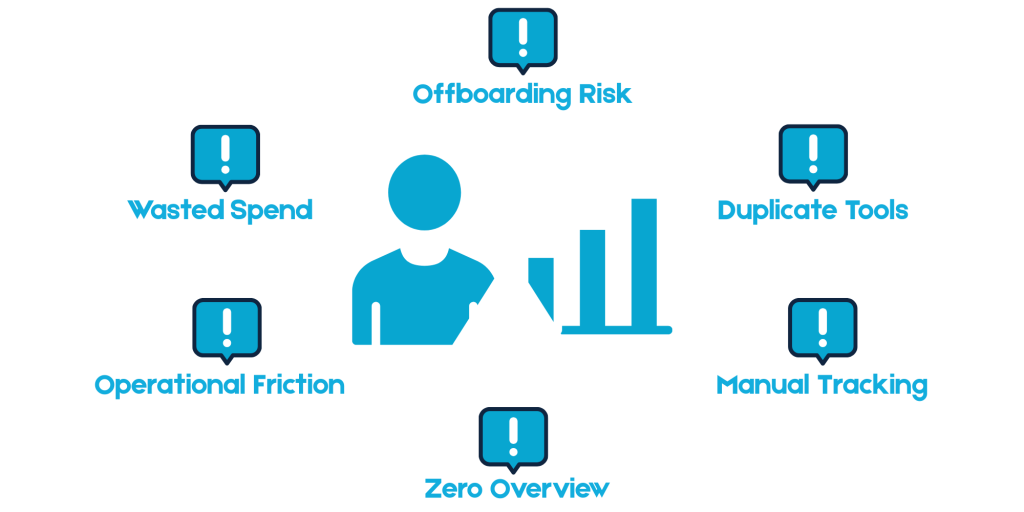
When systems don’t integrate into a central source of truth, inefficiencies compound quietly.
Unused licenses remain active because no one has a complete view of usage. Duplicate tools are purchased across teams solving the same problem. Subscriptions renew automatically without review. Individually, these issues seem minor. At scale, they meaningfully impact margin.
Security risk grows at the same time. When HR systems and SaaS tools operate separately, offboarding becomes manual. Access must be checked platform by platform. Admin rights can remain active longer than intended creating unnecessary exposure.
Operationally, the burden increases. IT teams spend time switching between admin panels. Finance exports data into spreadsheets to track renewals. Founders react to unexpected invoices instead of forecasting them.
When your SaaS tools are connected into a unified system, the picture changes immediately.
Users, licenses, billing data, and renewal timelines become visible in one place. Leaver detection becomes automatic instead of manual. Spend is measurable instead of estimated. Decisions are proactive rather than reactive.
For IT teams, this reduces risk and administrative overhead. For founders, it protects runway and strengthens cost discipline. For scaling companies, it creates the operational structure needed to grow confidently from 25 to 50 to 200 employees without complexity multiplying alongside headcount.
“Integration is not just about convenience, it’s about control.
It transforms your SaaS stack from a collection of isolated tools into an organised, measurable layer of your business operations.“